


HD Video & Music Player
3.951.00 Reviews
App Specs
- Version
- 3.4.18
- Updated On
- License
- Free
- Downloads
- 10,000,000+
- Developer
- App X Tech
- Categories
- Video Players & Editors
- Platform
- Android, iOS
Screenshots
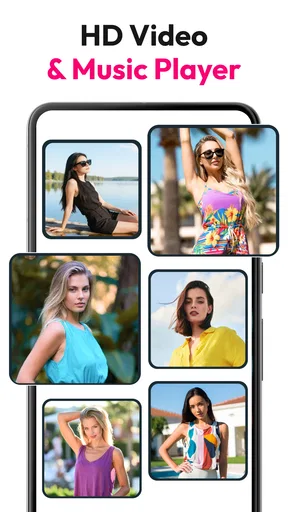
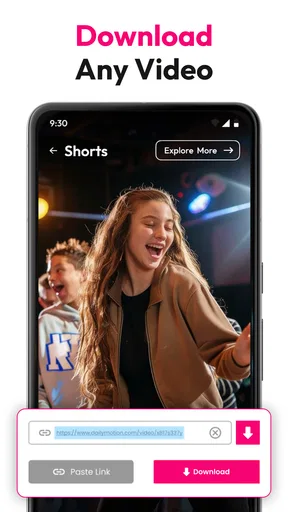
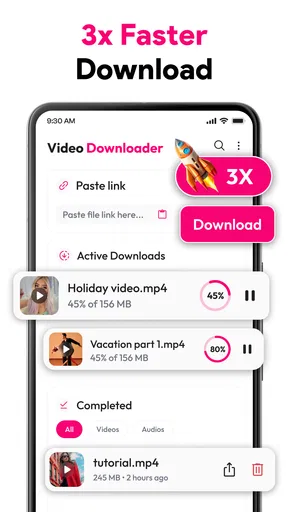
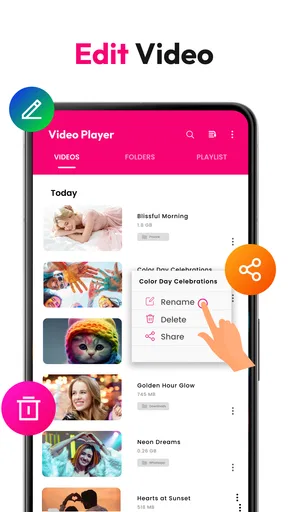
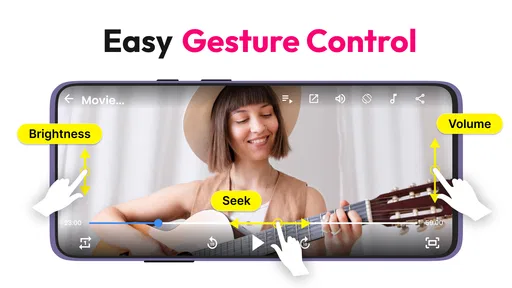
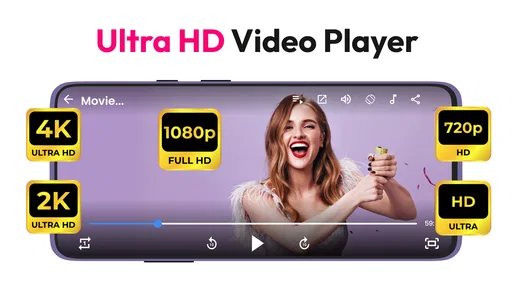
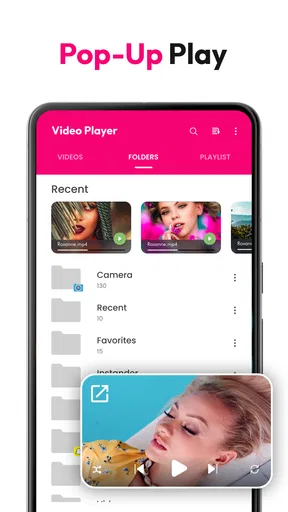
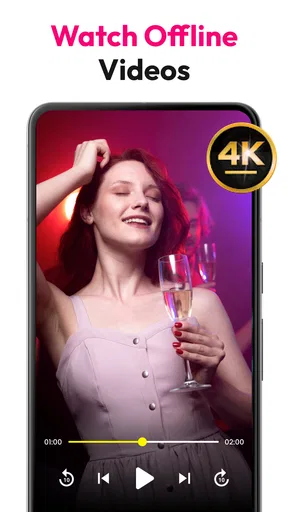
 Analysis by AppCompare
Ever stumbled upon an app that makes you wonder why you didn’t discover it sooner? That’s exactly how I felt when I started using the HD Video & Music Player. I mean, who doesn’t love an app that combines both video and music functionalities into one sleek package? Let me take you on a little tour through my experience with this gem.
First Impressions and Usability
The installation was a breeze, and before I knew it, the HD Video & Music Player was ready to rock. The interface is refreshingly intuitive, with a minimalist design that doesn’t overwhelm you with too many bells and whistles. I found the layout to be quite user-friendly, making it easy to navigate through my media library. Whether you’re a tech-savvy guru or someone who just wants to hit play and relax, this app caters to all.
One of the first things that jumped out at me was how effortlessly it supports a wide range of video and audio formats. From MP4 and MKV to MP3 and AAC, this app handles it all without breaking a sweat. It’s like having a Swiss army knife for your media needs right in your pocket!
Video Playback Performance
Now, let's talk about the video playback. It’s smooth, crisp, and delivers HD quality without any annoying lags or stutters. There’s something magical about being able to watch your favorite movies or clips in such high clarity right on your smartphone. The app also offers a neat set of features like subtitle support and variable playback speeds. It’s perfect for those who want to catch every detail or speed through scenes to get to the good stuff.
Another standout feature is its ability to stream videos directly from the web. No more waiting for downloads — just stream and enjoy. This feature instantly turned my phone into a mini cinema, and I couldn’t get enough of it!
Music Experience and Audio Quality
Switching gears to music, the audio quality is nothing short of impressive. Whether you’re into pop, rock, or classical, the app does a fantastic job of delivering clear and dynamic sound. The built-in equalizer is a nice touch too, allowing you to tweak the audio settings to match your listening preferences. I found myself experimenting with different presets just for fun.
Creating playlists is also a breeze, and the app’s shuffle and repeat functions work without a hitch. It’s like having a personal DJ that knows exactly what you want to hear next. Plus, there’s a sleep timer feature, which is a lifesaver for those who like to drift off with some tunes playing in the background.
Worth Reading Before You Choose

EA SPORTS FC Mobile 26 Is a Bigger Football Game, but It Takes Time

Flipboard Shows What News Apps Must Do Beyond the Feed

Switching to Android Auto Means Rethinking Your Driving Routine

Google Calendar Makes a Crowded Week Easier to Manage

Ludo King Makes the Most of the Minutes Between Plans

Baby Panda World Brings Quick Play to Modern Phones, but Its Game Library Feels Busy
Additional Features Worth Mentioning
Beyond the basic functionalities, the app comes packed with some nifty extras. For instance, the background play feature allows you to multi-task while listening to your favorite tracks. You can check emails or scroll through social media without missing a beat. Talk about convenience!
There’s also a widget option for your home screen, which means you can control your media without even opening the app. It’s these little things that make the user experience so seamless and enjoyable.
Security-wise, the app ensures your media is private. There’s an option to lock certain files, which is perfect if you’ve got some content you’d rather keep away from prying eyes.
What the Free Download Means in Practice
This is a free app from App X Tech, and that makes it easy to try as a combined video and music player without committing money first. It also offers in-app purchases priced from 49 cents to $34.99 per item. I would treat those as optional spending rather than assume you need to pay to use the basic player; the sensible move is to install it, test the everyday tasks you care about, and only consider a purchase if the app itself makes clear what you would gain.
That distinction matters because a free download is not the same as a guarantee that every extra is free. If you only need to open media already on your phone, begin there and see whether the player earns a place in your routine. If you are considering an in-app purchase, check its exact description and price in the purchase screen before confirming. I wouldn’t spend just because a feature sounds useful in theory.
Where It Fits Among Everyday Media Apps
The useful question is not whether one app can replace every media service; it is whether it makes local playback and quick web video tasks easier. Many people already use a dedicated streaming service for licensed films and a separate music app for saved albums or recommendations. This player makes more sense as a flexible utility alongside those services, especially when you have personal files in different formats or want a single place to open a clip and listen to audio.
For a realistic example, imagine you receive a video file in a group chat, save it for a commute, and later want to check a line of dialogue without replaying the whole clip. A player with subtitle and speed controls can be more convenient than opening a full streaming platform, while picture-in-picture or floating playback can help keep the video visible as you handle another task. I’d still download or stream only content I’m entitled to access, and I’d be mindful of mobile data when watching away from Wi-Fi.
There is a practical trade-off between convenience and specialization. A dedicated music app may offer a more focused library and listening workflow, while a dedicated video player may give more room to video-specific controls. Here, the appeal is having both kinds of playback in one app; the compromise is that someone with advanced needs in either area may prefer a specialist tool. I’d compare it with the apps already on your phone by testing the formats and controls you actually use, not by judging the number of features on a screen.
Small Habits That Make Playback Easier
I’d start by opening a few representative files rather than assuming every file will behave identically. Try a short clip with subtitles, a longer video, and an audio track you know well. That quick check can reveal whether your preferred files display properly and whether the controls feel comfortable before you rely on the app for a trip or a busy day. If subtitles are out of sync or a file behaves oddly, switching to another compatible file or player is more useful than repeatedly tapping controls without knowing what is wrong.
For web playback, I’d treat the link as the starting point, not as a promise that every page will play. Some sites may handle video differently, and a link can lead to a page rather than a directly playable file. When a link does not work as expected, try the site’s own playback option or a trusted official app instead of assuming the player is broken. If you use the downloader function, be selective about the source and respect the creator’s rights and the site’s terms.
Picture-in-picture and floating playback are most helpful when you have a specific reason to keep a video visible, such as following a tutorial while checking a note. They are less useful when you are trying to focus, and a floating window can cover buttons or text in another app. I’d use these modes for short, practical tasks, then return to full-screen playback when watching something that deserves attention.
Device Fit, Expectations, and Privacy
The app is rated for mature audiences aged 17 and over, so it may not be a suitable choice for a child’s device without an adult checking the content and settings. It requires Android 8.0 or later. Before installing, I’d check the Android version on an older phone; if it falls below that requirement, this is not the right option for that device. The current version is 3.4.8, and the app has been available since October 14, 2022.
Its popularity gives prospective users a little context, but it is not a substitute for checking whether the app suits your own habits. It has over 10 million installs and an average rating of 3.7 from around 25,000 ratings, alongside 50 written reviews. I read that as a reason to try it with realistic expectations: plenty of people have installed it, yet the average is not so high that I’d call it a guaranteed fit for everyone.
The file-lock option can be useful for keeping selected items less exposed when someone else borrows your phone, but I wouldn’t treat it as a complete privacy or security system. A lock inside a media player is not a replacement for a device passcode, and it does not change who can access a file elsewhere on the phone. If privacy is important, secure the device itself and avoid leaving sensitive media in shared folders.
Who I’d Recommend It To
I’d recommend giving this player a try if you regularly open a mix of saved videos and audio, want playback controls in one place, or value floating and picture-in-picture viewing for occasional multitasking. It is especially appealing when the default player on your phone is too limited for your files or you want to adjust playback speed without moving to a more complicated media setup.
I’d skip it if you mainly watch through subscription services and listen through a dedicated music platform that already meets your needs. I’d also look elsewhere if you depend on a highly specialized workflow, want a player that is unquestionably free of optional purchases, or need a solution for a device running an older Android release. The best test is simple: try the files and web links you actually use, then decide whether the combined convenience outweighs the extra app in your library.
Final Thoughts
All in all, the HD Video & Music Player is a powerhouse that combines video and music needs into one handy app. It’s versatile, user-friendly, and packed with features that enhance your media experience. Whether you’re chilling at home or on the go, this app is worth a spot on your device. Don’t just take my word for it — give it a whirl and see how it transforms your media consumption. You can thank me later!
My recommendation is a measured one: because it is free to download, you can test the core experience before deciding whether any optional purchase is worth considering. I like the convenience of bringing local video and audio playback together, but I would not replace a dedicated streaming service or specialist player if that tool already does a better job for you. For someone who wants a practical all-rounder and is comfortable checking a few files and links before relying on it, it is a reasonable app to try.
Pros
- Supports multiple video formats seamlessly.
- High-quality audio playback for music lovers.
- User-friendly interface with smooth navigation.
- Customizable themes to suit personal preferences.
- Background play feature for multitasking.
Cons
- Contains occasional ads disrupting playback.
- Lacks advanced equalizer settings for audiophiles.
- Limited support for subtitle formats.
- No option for downloading content offline.
- Requires frequent updates for optimal performance.
FAQs for HD Video & Music Player
What are the key features of the HD Video & Music Player?
The HD Video & Music Player offers a variety of features, including support for multiple video and audio formats, an equalizer for sound customization, and a user-friendly interface. It also supports subtitles and allows for playlist creation, making it a versatile choice for both video and music playback.
Is the HD Video & Music Player compatible with all file formats?
The app supports a wide array of video and audio file formats, including MP4, AVI, MKV, MP3, and FLAC. However, some less common formats may not be supported. It’s always a good idea to check the app’s specifications or updates for any new format support.
Does the HD Video & Music Player require an internet connection?
No, the HD Video & Music Player does not require an internet connection for playing downloaded files. However, an internet connection will be necessary if you wish to stream content online or download additional subtitles for your videos.
Are there any in-app purchases or ads in the HD Video & Music Player?
Yes, the app offers in-app purchases that unlock premium features, such as an ad-free experience and additional customization options. While the basic version is free, it does contain ads, which can be removed by purchasing the premium version.
How does the HD Video & Music Player ensure user privacy?
The app is designed with user privacy in mind, storing all playback history and personal data locally on your device. It does not collect or share any personal information without your consent. Always review the privacy policy for more detailed information on data handling.


